Important Note
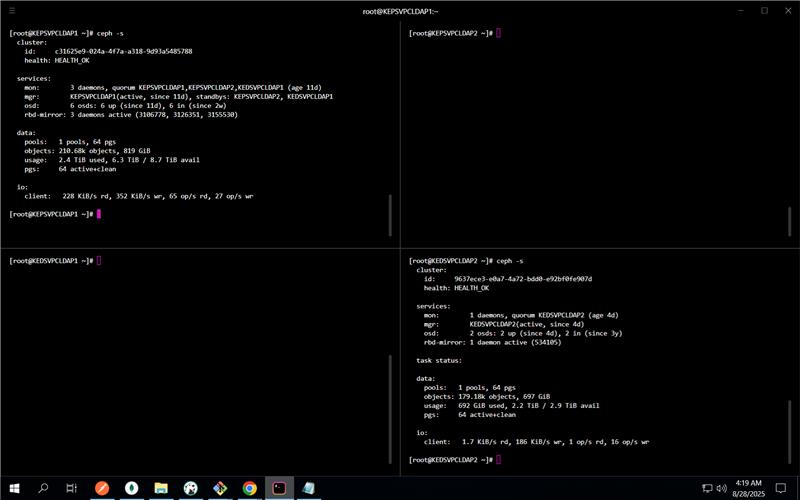
Take screenshot before and after Failover/Failback
# Safety: Take screenshot of virsh list --all with date from all servers before starting the process and after the process

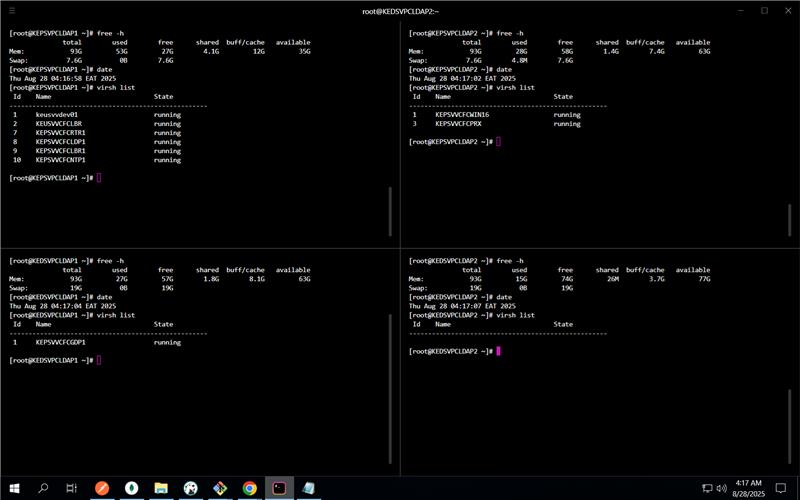
1. Check RAM on each server before starting the process:
   free -h

2. While checking the rbd image status of libvirt VMs on both the DR site and PR site, check if any VM is behind master.
Prechecks
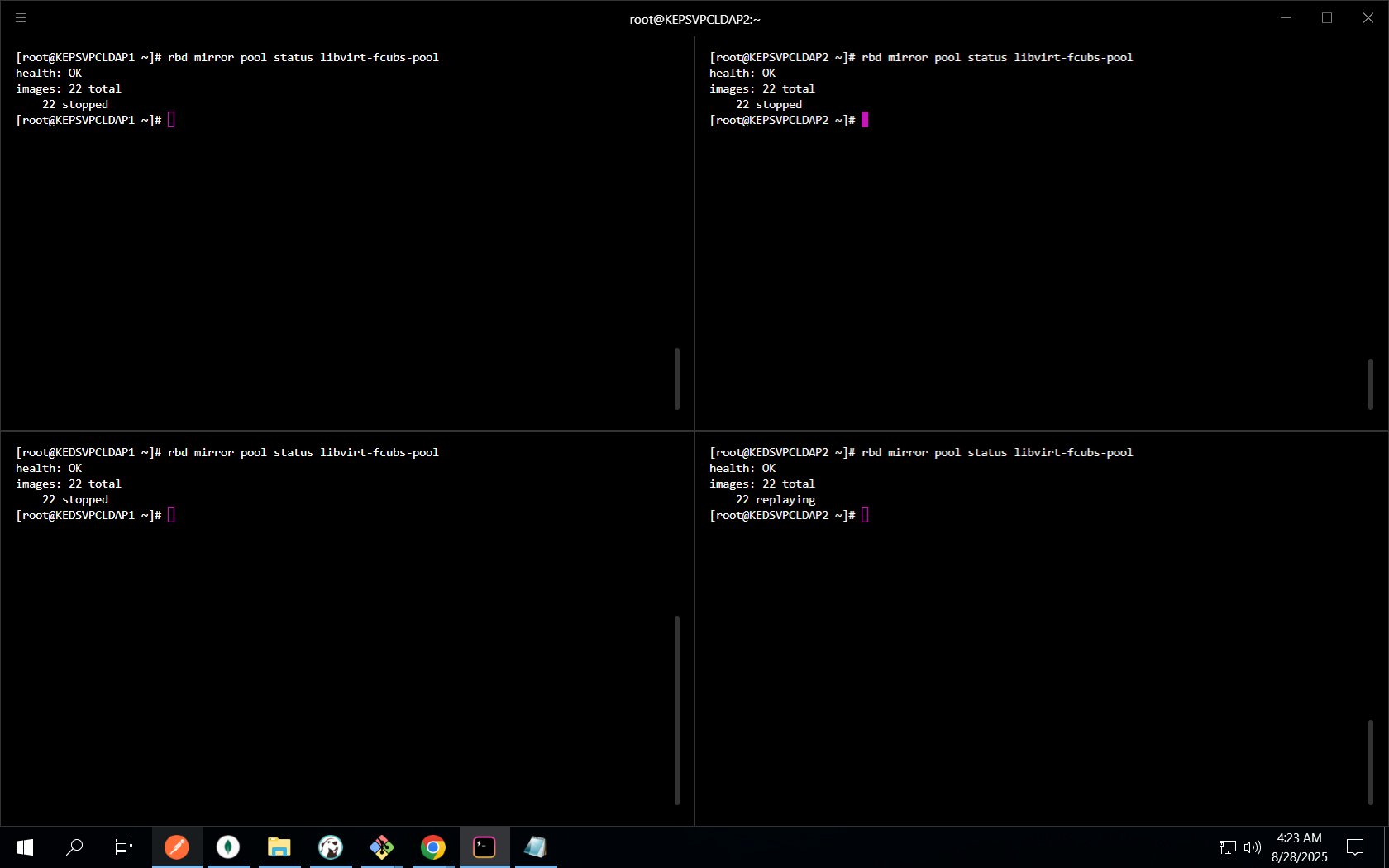
- Check mirroring status of pool
libvirt-fcubs-pool - Verify Ceph cluster health
- Ensure SSH access to both nodes (
10.137.170.115and10.137.170.5)
Commands
rbd mirror pool status libvirt-fcubs-pool
systemctl restart ceph-rbd-mirror@admin
Failover Process (to DR 10.137.170.115)
Step 1: Destroy VMs on PR
virsh destroy KEPSVVCFCLBR1
virsh destroy KEPSVVCFCLDP1
virsh destroy KEPSVVCFCNTP1
virsh destroy KEPSVVCFCPRX
virsh destroy KEPSVVCFCRTR1
virsh destroy KEPSVVCFCGDP1
Step 2: Demote Images
rbd mirror image demote libvirt-fcubs-pool/KEPSVVCFCNTP1
rbd mirror image demote libvirt-fcubs-pool/KEPSVVCFCRTR1
rbd mirror image demote libvirt-fcubs-pool/KEPSVVCFCLDP1
rbd mirror image demote libvirt-fcubs-pool/KEPSVVCFCPRX
rbd mirror image demote libvirt-fcubs-pool/KEPSVVCFCGDP1
rbd mirror image demote libvirt-fcubs-pool/KEPSVVCFCLBR1
rbd mirror image demote libvirt-fcubs-pool/KEPSVVCFCLBR1-varlogaudit
rbd mirror image demote libvirt-fcubs-pool/KEPSVVCFCLBR1-vartmp
rbd mirror image demote libvirt-fcubs-pool/KEPSVVCFCLBR1-varlog
rbd mirror image demote libvirt-fcubs-pool/KEPSVVCFCLBR1-tmp
Step 3: Check Status
rbd mirror image status libvirt-fcubs-pool/KEPSVVCFCNTP1
rbd mirror image status libvirt-fcubs-pool/KEPSVVCFCRTR1
rbd mirror image status libvirt-fcubs-pool/KEPSVVCFCLDP1
rbd mirror image status libvirt-fcubs-pool/KEPSVVCFCPRX
rbd mirror image status libvirt-fcubs-pool/KEPSVVCFCGDP1
rbd mirror image status libvirt-fcubs-pool/KEPSVVCFCLBR1
Failback Process (to PR 10.137.170.5)
Step 1: Promote Images
rbd mirror image promote libvirt-fcubs-pool/KEPSVVCFCNTP1
rbd mirror image promote libvirt-fcubs-pool/KEPSVVCFCRTR1
rbd mirror image promote libvirt-fcubs-pool/KEPSVVCFCLDP1
rbd mirror image promote libvirt-fcubs-pool/KEPSVVCFCPRX
rbd mirror image promote libvirt-fcubs-pool/KEPSVVCFCGDP1
rbd mirror image promote libvirt-fcubs-pool/KEPSVVCFCLBR1
rbd mirror image promote libvirt-fcubs-pool/KEPSVVCFCLBR1-varlogaudit
rbd mirror image promote libvirt-fcubs-pool/KEPSVVCFCLBR1-vartmp
rbd mirror image promote libvirt-fcubs-pool/KEPSVVCFCLBR1-varlog
rbd mirror image promote libvirt-fcubs-pool/KEPSVVCFCLBR1-tmp
Step 2: Verify Status
rbd mirror image status libvirt-fcubs-pool/KEPSVVCFCNTP1
rbd mirror image status libvirt-fcubs-pool/KEPSVVCFCRTR1
rbd mirror image status libvirt-fcubs-pool/KEPSVVCFCLDP1
rbd mirror image status libvirt-fcubs-pool/KEPSVVCFCPRX
rbd mirror image status libvirt-fcubs-pool/KEPSVVCFCGDP1
rbd mirror image status libvirt-fcubs-pool/KEPSVVCFCLBR1
Step 3: Start VMs on PR
# On 10.137.170.5
virsh start KEPSVVCFCNTP1
virsh start KEPSVVCFCRTR1
virsh start KEPSVVCFCLDP1
virsh start KEPSVVCFCLBR1
virsh start KEPSVVCFCGDP1

# On 10.137.170.15
virsh start KEPSVVCFCPRX
before screenshot
.png)
after screenshot
.png)
Post Validation
- Check Ceph cluster health (
ceph -s) - Validate VM state (
virsh list --all) - Ensure applications inside VMs are up and serving